
New Release: OmniFi v2026.1
OmniFi v2026.1
Welcome to OmniFi v2026.1!
In this release, we’ve concentrated on strengthening the technical foundation of OmniFi to streamline deployment, reduce operational overhead, and simplify long‑term maintenance. OmniFi v2026.1 introduces a new user client installer, brings the OmniFi Access API into the web portal, and centralizes configuration to make administration more efficient.
OmniFi Access
The OmniFi Access API is now fully integrated into OmniFi Web, and the standalone Access host server has been deprecated. This consolidation reduces the overall installation footprint and streamlines deployment, maintenance, and monitoring. It also brings meaningful benefits for advanced users: with Access now part of the web portal, all APIs support the portal’s cookie‑based authentication, enabling you to browse and test endpoints directly in your web browser.
New test page
A new /api/try page allows users to run both static and custom API endpoints without relying on external tools. This helps when planning API‑driven solutions, prototyping integrations, or validating custom endpoints.
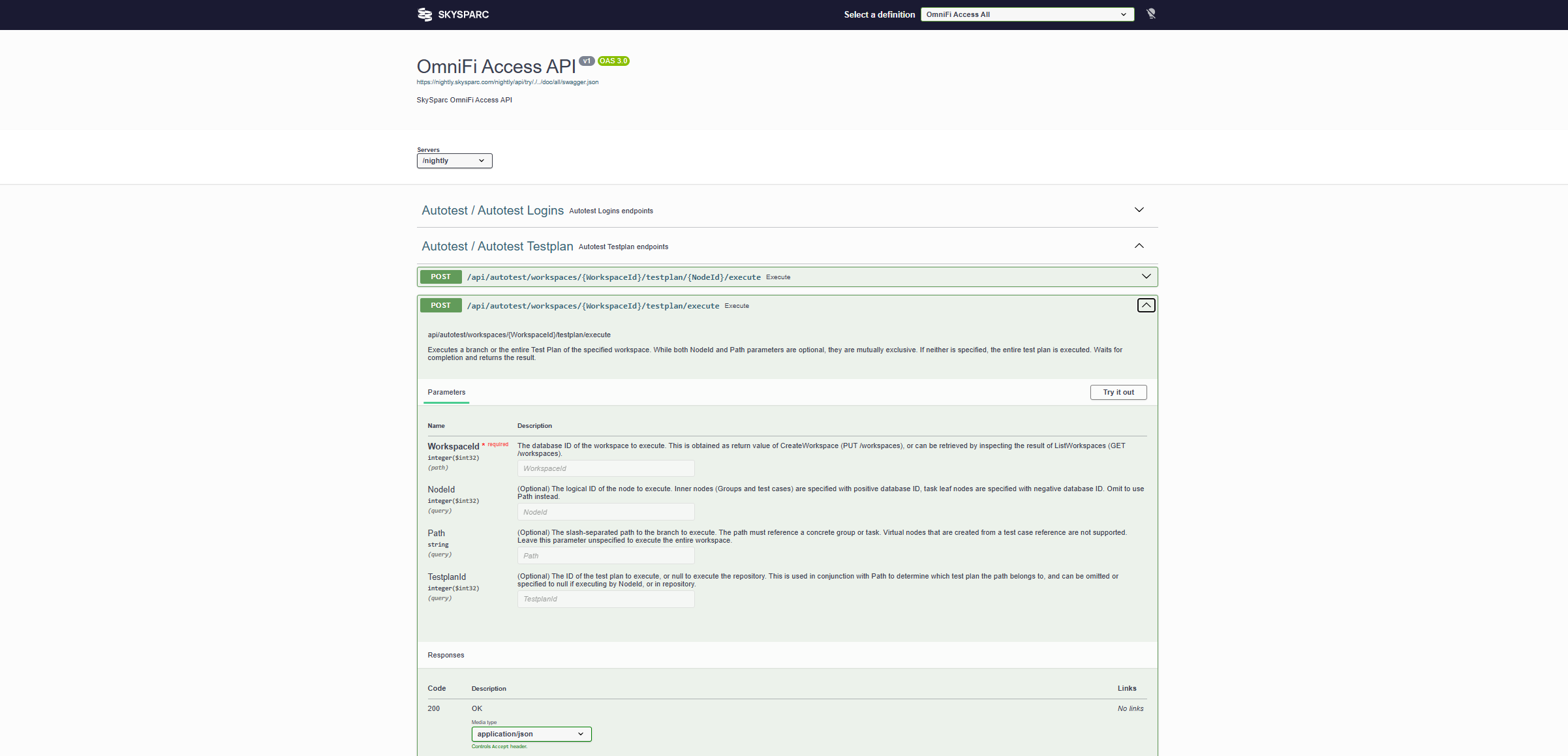
The page also supports downloading OpenAPI definitions for Web, Autotest, and Custom segments—either individually or as a combined specification. These definitions are valuable for agent‑based development workflows and for generating test suites in tools such as Postman.
Updated documentation page
The OmniFi Access documentation, available at /api/doc, has been refreshed with clearer navigation and an improved layout to make it easier to find and understand relevant information.
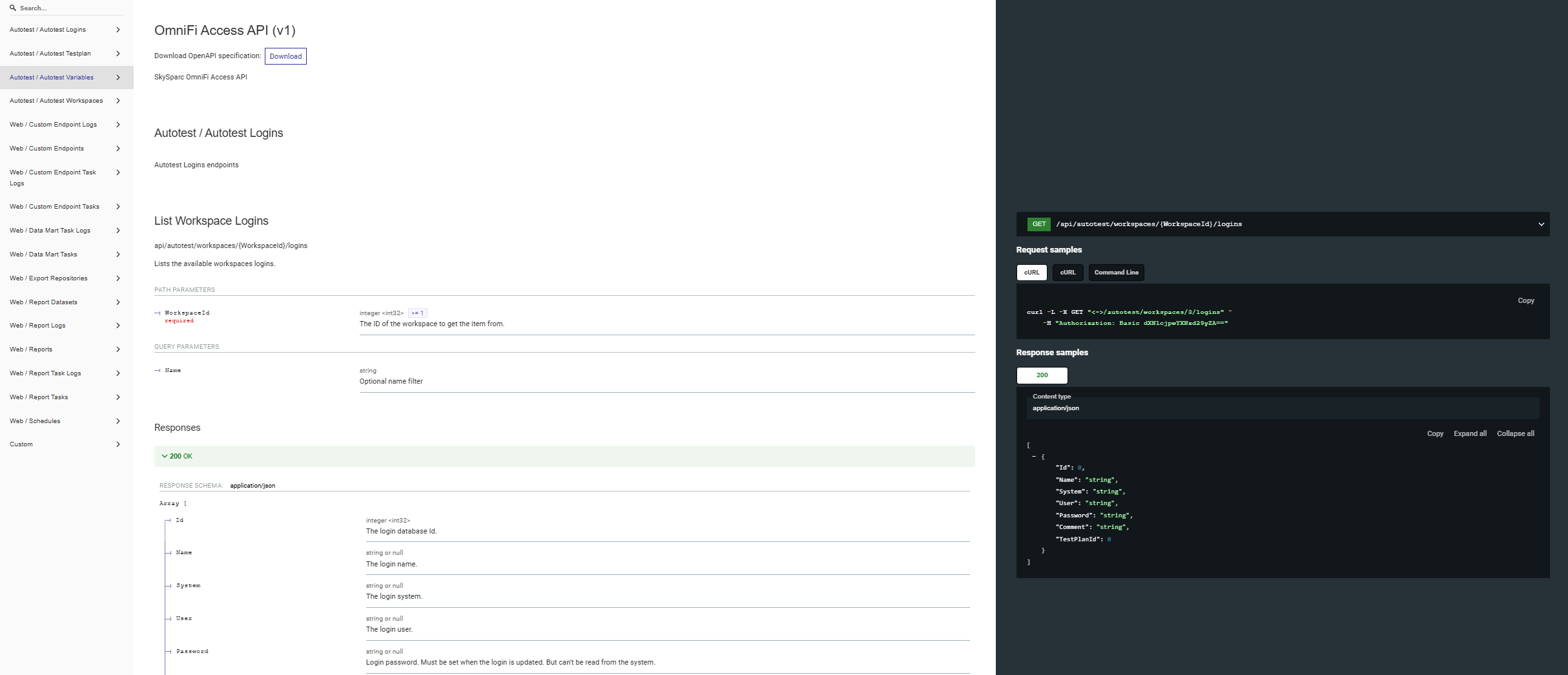
Centralized configuration
Configuration management has been moved to OmniFi Server. System configuration, SQL query modules, and lookup files are now provided centrally to clients. This ensures consistency across environments and reduces the effort required to install and maintain client setups.
New client installer
OmniFi v2026.1 includes a new client installation package that does not require local administrator privileges. This significantly simplifies rollout and makes it easier to deploy OmniFi in environments with strict permission controls.