
Managing permissions
The Permissions tab lets you view and manage users and groups by permission. Select a permission from the list will display the list of permitted users and groups in the Permittees grid.
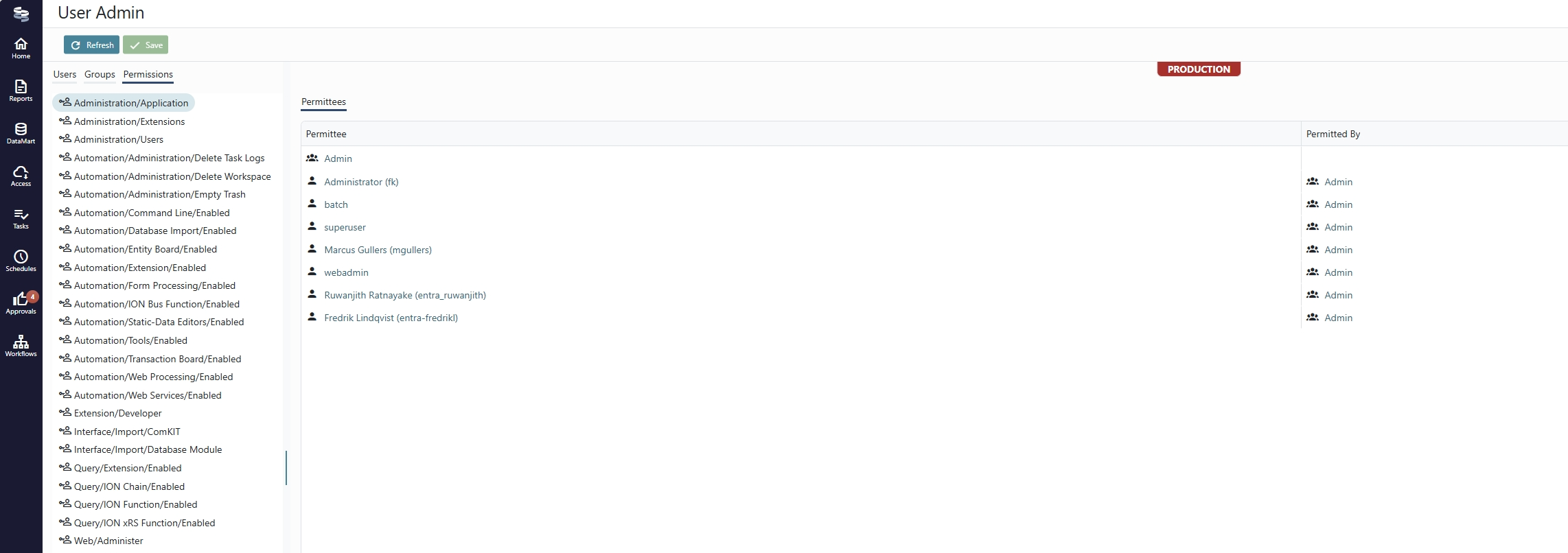
The Permitted By column shows how the Permittee user or group has the permission. If the Permitted By column is empty, the permission is assigned directly to the permittee, and the delete button is active.
Managing app permissions
App-scoped permissions are defined by each application. They are shown in the format Apps/{AppID}/{PermissionID}, and are assigned and managed as any other permission.
When an applications is off-boarded or disabled, it's app-scoped permission assignments are not removed automatically. They are instead highlighted for easy identification:

If you encounter permissions highlighted like this, consider if the app is permanently disabled or odd-boarded, and remove any assignments manually.
Updated 6 months ago