
Managing applications
Configuring applications
Administrators can administer and configure applications from the Applications page.
Administering applications require any of these permissions:
- Web/Administer
- Administration/Extensions
- Extension/Developer
The toggle switch in the corner of each card enables or disables the app globally.
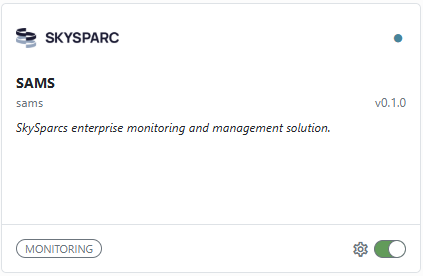
Clicking the Configure button opens the settings flyout, where you can add the app to the main menu of all users, enable the app for all all users (regardless of permissions). A list of custom permissions the application accepts and their descriptions is shown below the settings.
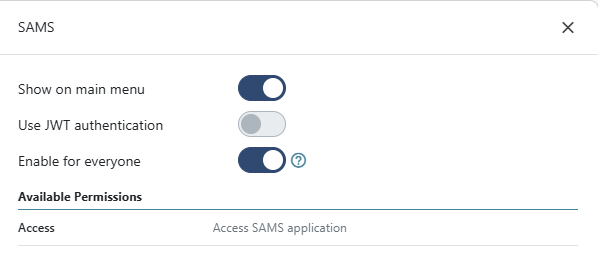
Note that the Use JWT Token switch is informational. Whether the application accepts JWT authentication is determined by the application itself and cannot be configured.
To manage applications, you need either the Web/Administer or the Administration/Extensions permission.
Configuring permissions
Applications can declare app-scoped permissions.
- Applications that don't declare app-scoped permissions are only available to users if the Enable for everyone switch is on.
- Applications that do declare app-scoped permissions are available to users that have been granted any of the app-scoped permissions, or to everyone if the Enable for everyone switch is on.
App-scoped permissions are assigned to roles and users in the Manage users and accounts page, and are handled in the same way built-in permissions are.
App-scoped permissions are shown in the format Apps/{AppID}/{PermissionID}, e.g. Apps/recon-board/Create.
For more information on managing permissions, please refer to the documentation.
Updated 6 months ago