
Extension mapping
Extension mapping is used to grant individual users or user groups collectively access to extensions, and to map credentials.
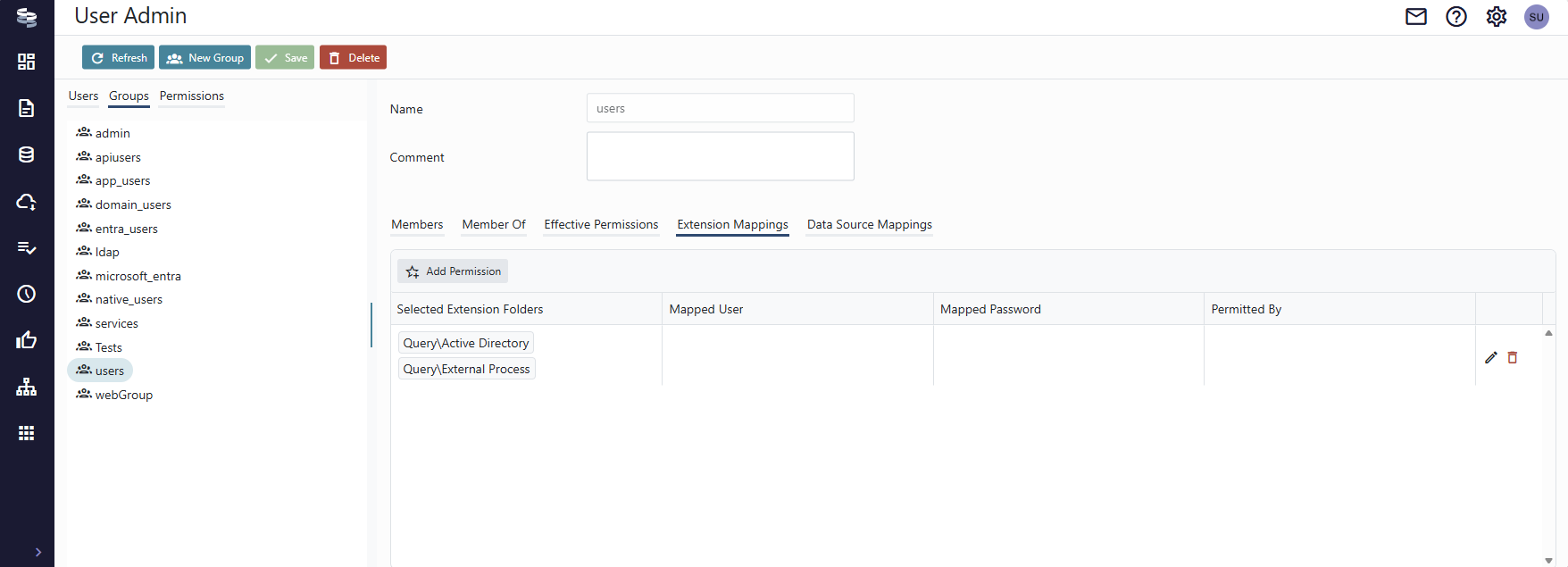
Extensions often come in packages and sorted into a folder structure. For convenience, mappings are configured on a folder level rather than individual extensions. Granting permission to the Query\Active Directory folder gives access to all extensions within that folder. Similarly, granting access to a folder Query\Murex\Static-Data gives the assignee access to all extensions within that folder but not in a sibling Query\Murex\Reports.
When resolving permissions and account mappings, the longest path that matches the extension full path is used. If a user has personal access to Query\Murex\Static-Data and access to Query\Murex via association to a group or role, the Query\Murex\Static-Data record wins, because it is more specific.
You can also add multiple related folders to the same mapping, e.g. Query\Murex and Workflow\Murex simply because the extension package provides both Query and Workflow extensions targeting the same system.
To configure a permission, add a new record or open one for editing. Click the + button in the Selected Extension Folders column.

Use the buttons in the right-most column to add and remove folders to the mapping. Close the dialog and configure account mapping, if applicable to the extensions.

The granularity of assigned permissions depend on whether the extension requires individual credentials.
It is generally recommended to model RBAC and create a role group to contain the mapping and assign user groups to that role.
For extension that require individual credentials, however, you must assign permission and credentials to individual users.
Updated about 2 months ago