
API Documentation
Browsing API documentation
OmniFi Access provides a reference documentation page accessible from <Service URL>/api/doc (e.g. https://host:port/api/doc). The automatic documentation includes both the standard API and any custom endpoints that have been published.
Additional documentation for the standard APIs can be found in the API Portal.
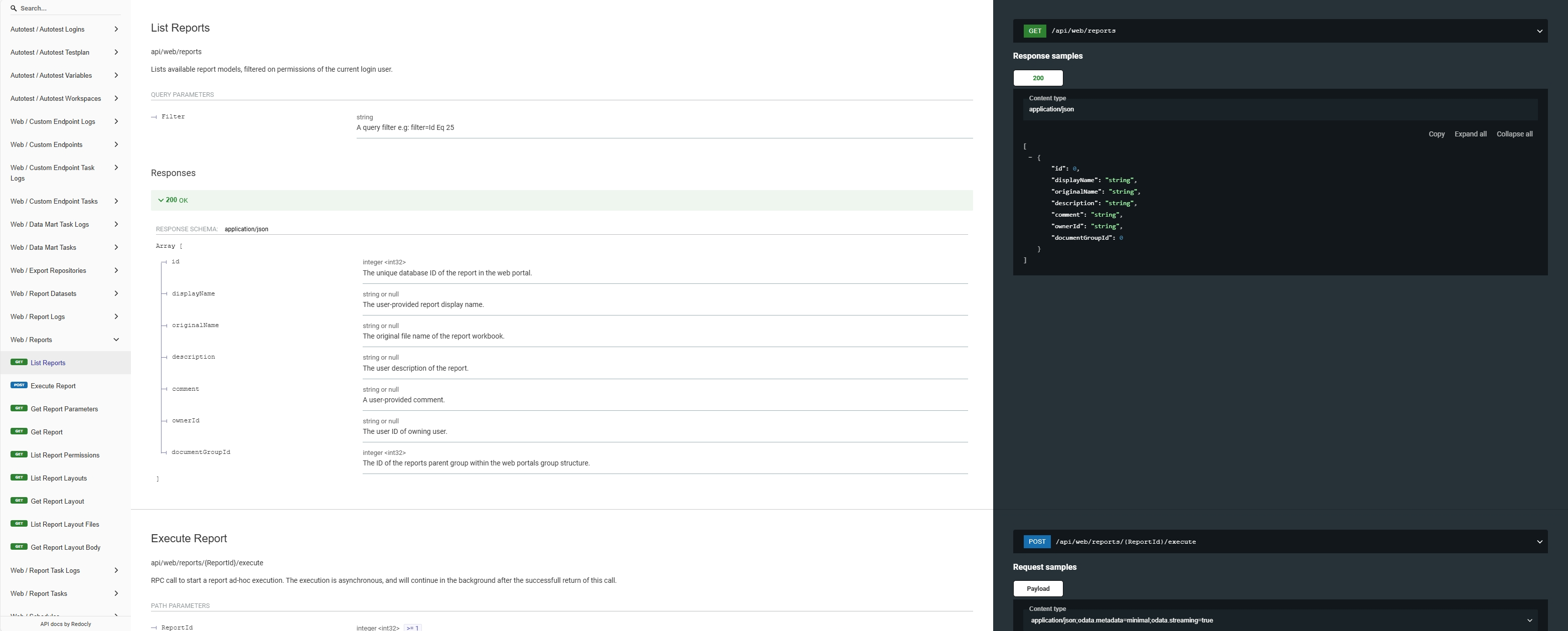
OmniFi automatic API reference documentation.
The documentation page provides a good starting point for discovering the available API functions, and detailed information on how to use them. The right-hand panel provides detailed information on the selected function, including request and response samples.
Import endpoints are POST methods, accepting parameter data in the request body. The documentation contains samples of request bodies that can be used as basis for calling the endpoint.
Running APIs interactively
An interactive page where you can test APIs is available on <Service URL>/api/try. This allows you to run and test API endpoints directly in the web portal without the need for additional tools.
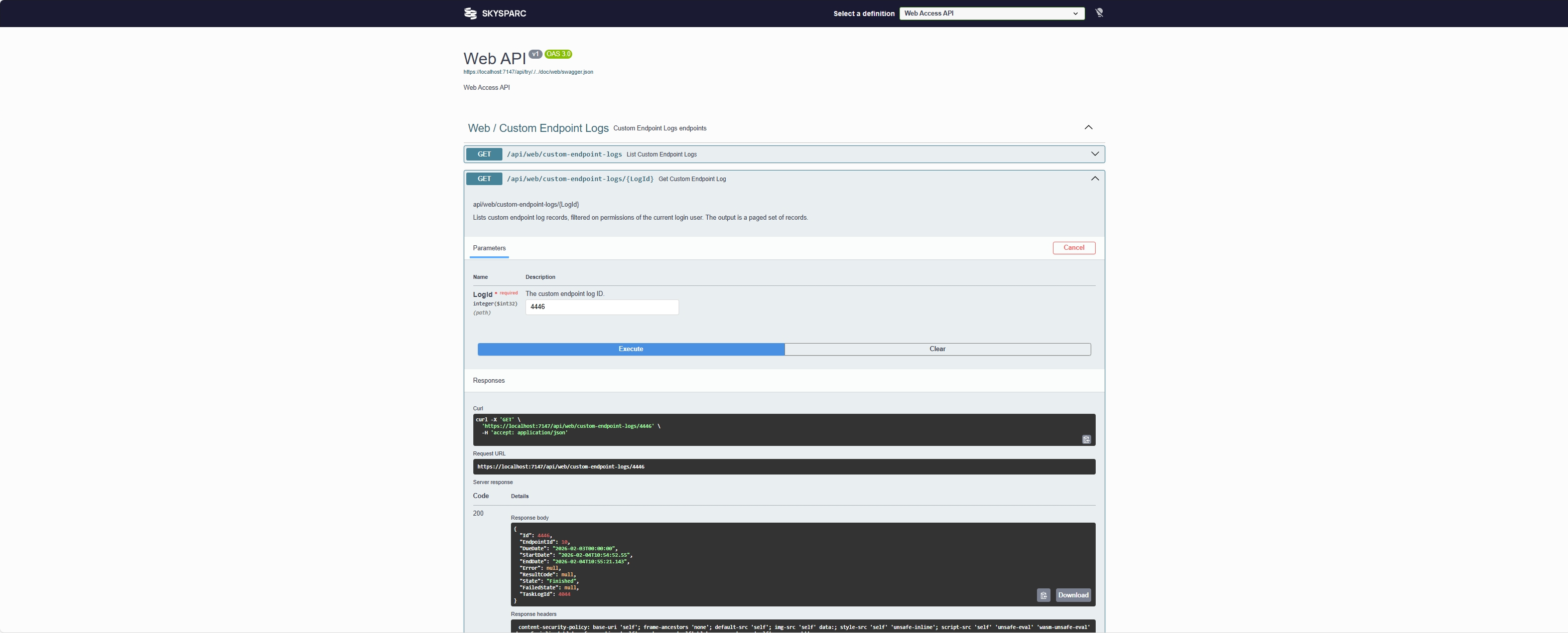
The /api/try page allows you to run endpoints directly on the web page.
Locate the endpoint you want to try, click the Try it out button, fill out any parameters and click Execute.
A selector drop-down is available in the top bar, where you can select between the different API segments Web, Autotest and Custom. This allows you to narrow down the page to the segment that you are currently testing for easier navigation.
You can download the Open API definition file (swagger.json) via the link just under the top bar. You can import this into 3'rd party tools like PostMan to configure repeatable tests. The Open API definition is limited to the segment you have selected in the segment selector.
Updated 9 months ago