
Structure
A Workflow is a set of nodes executed sequentially.
Design
A Workflow is built and visually represented on the Design page. Nodes are added to the design view and connected to form a process flow. Available nodes are found in the Toolbox view, and include functions to handle files, execute reports and tasks, conditions, sending emails and much more.
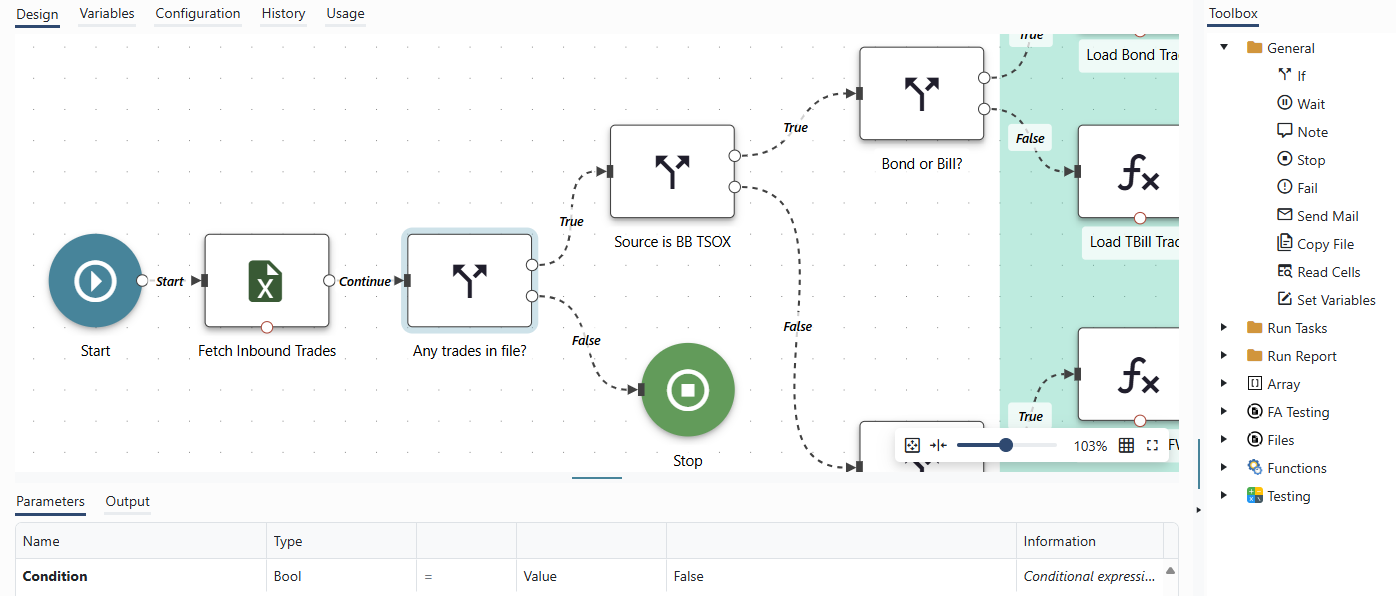
Example of a Workflow, visually represented on the Design page. Nodes may be drag-and-dropped into the Design page from the Toolbox view on the right-hand side.
Execution Flow vs Information Flow
The flow on the Design page shows the execution flow, not the flow of information. The Workflow progresses from a node through one of the node's ports. Information is passed from node to node via variables. The output of a node is assigned to a variable, which is subsequently used as input to one or more other nodes.
Variables are global, and information stored in them remains for the duration of the Workflow runtime, or until overwritten by new information.
A variable may be configured as an Argument, allowing users to configure it's value when running the workflow.
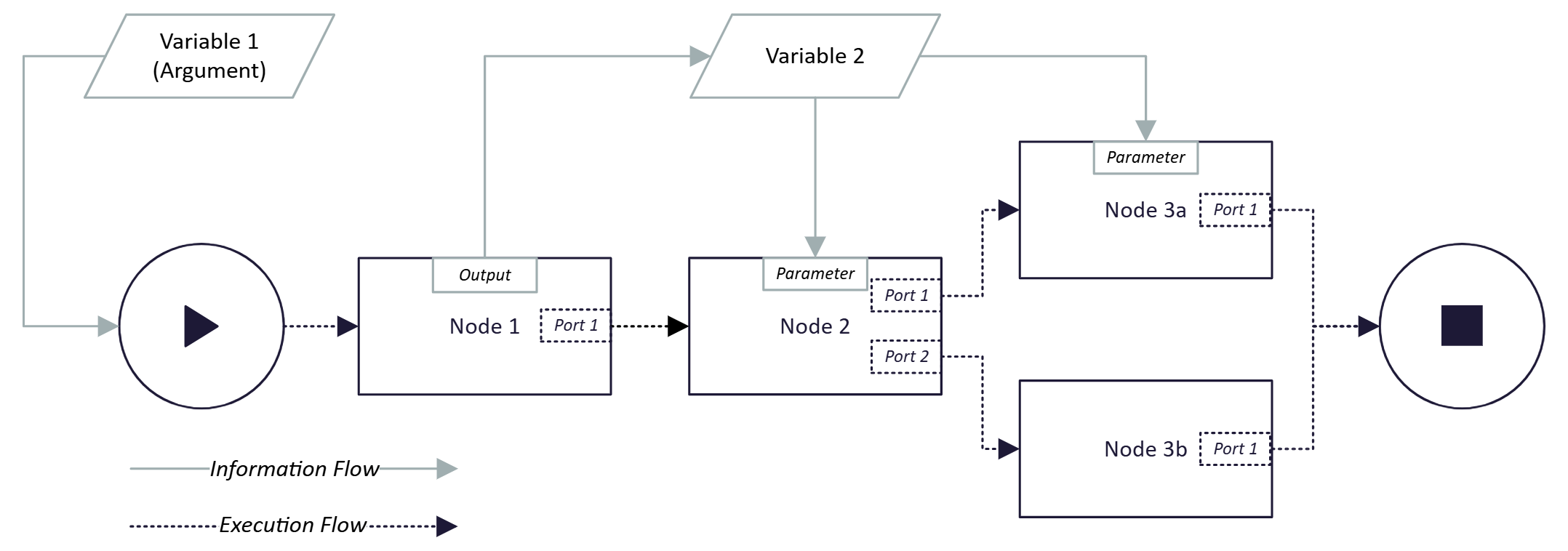
Example of a schematically designed Workflow. The execution flows from the Start Node to the Stop Node along the connectors. Depending on the conclusion of Node 2, the execution will continue from either Port 1 or Port 2 to Node 3a or 3b respectively. Variable 1 has been configured as an Argument and is thereby provided as a parameter upon Workflow initialization. Information flows as Output of Node 1 to Variable 2. The information stored in Variable 2 is subsequently provided as Parameter input to Node 2 and Node 3a.
Updated about 1 year ago